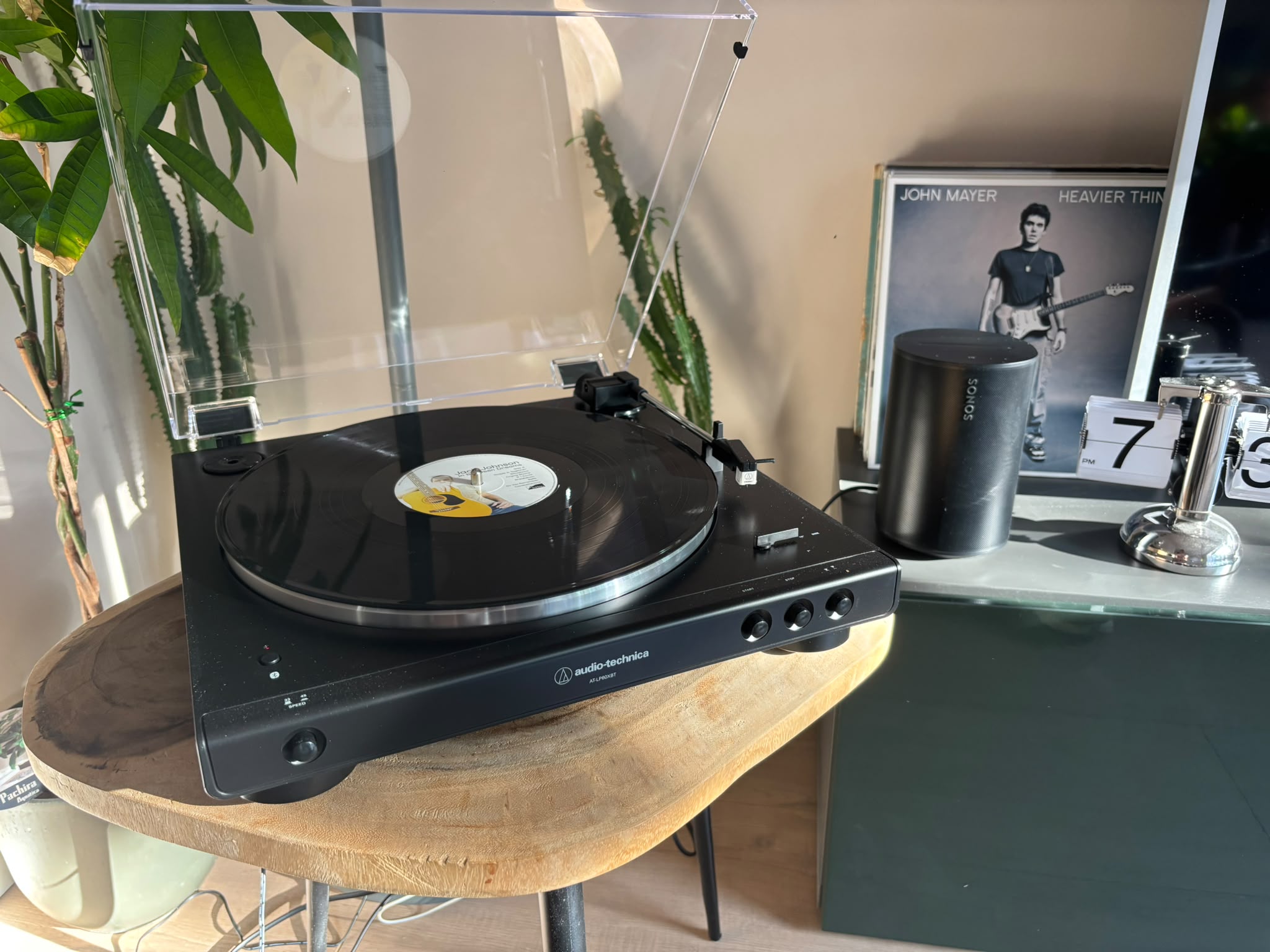
How to Connect a Turntable to Bluetooth Speakers
Last week I wrote about connecting a turntable to Sonos specifically, since that's the system I actually use at home. But most people asking this question don't own Sonos. They have a Bluetooth speaker, or a soundbar, or a set of Bluetooth headphones, and they just want their records to play through it. Here's the version of that guide for everyone else.
Does your turntable have Bluetooth built in?
This is the first thing to check, and it decides which path you take.
Look at the front or side of your turntable for a small Bluetooth button, sometimes marked with the Bluetooth symbol, sometimes just labelled BT. If you see a blinking blue light when you turn it on, or a Bluetooth button you can press, your turntable can send audio wirelessly on its own. Mine can, and if yours can too, this is by far the easier path.
If there's no Bluetooth button anywhere on the turntable, don't worry. You can still go wireless, it just takes one extra piece of equipment, more on that below.
Path one: your turntable already has Bluetooth
If your turntable has built-in Bluetooth, pairing it to a speaker works almost exactly like pairing your phone to a pair of wireless earbuds.
- Put your Bluetooth speaker into pairing mode, usually by holding down its Bluetooth button until a light starts flashing.
- Press the Bluetooth button on your turntable. The light will flash red while it searches for a speaker to connect to.
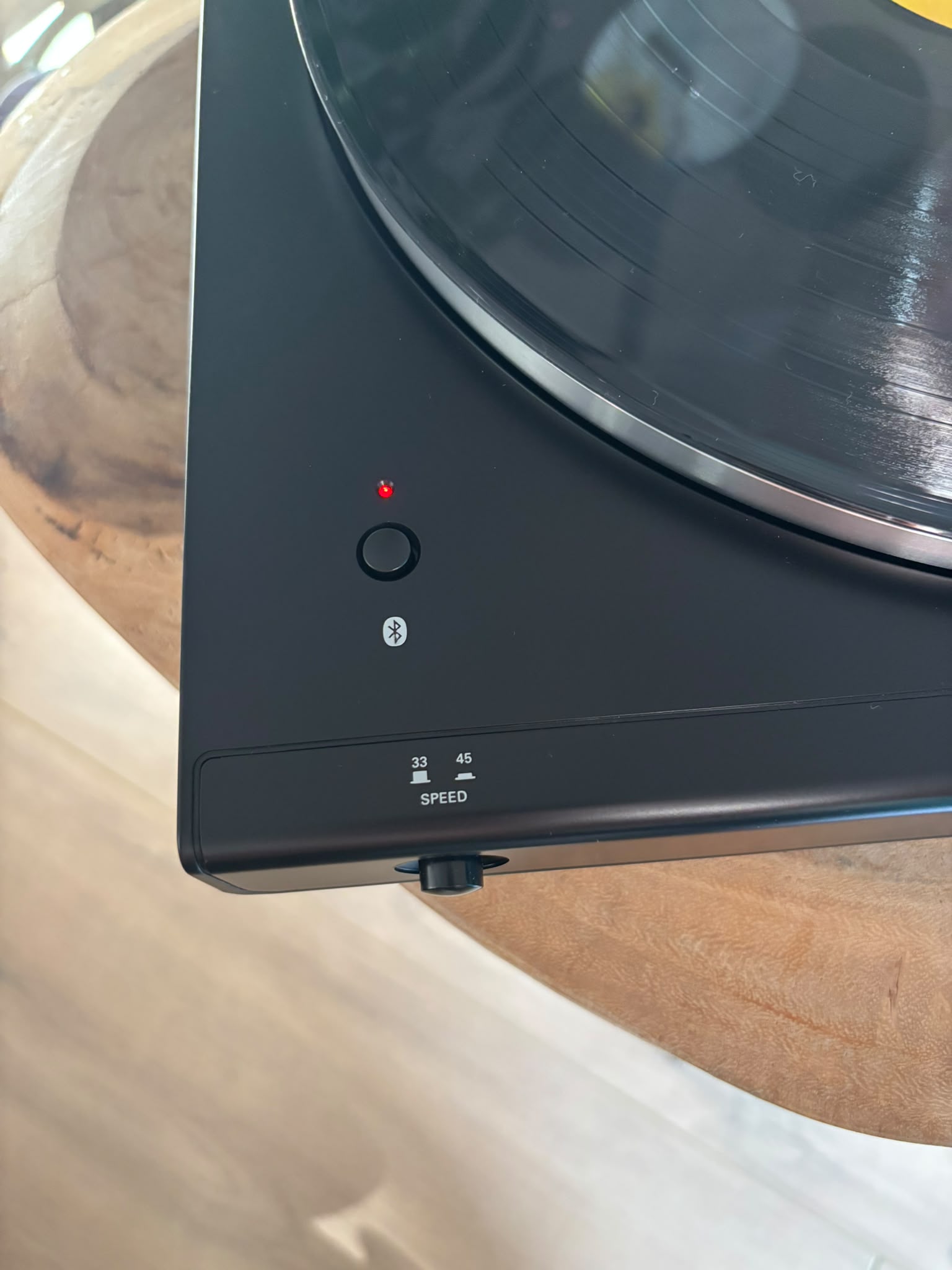
- Give it a few seconds. Most turntables and speakers pair automatically once both are in range and in pairing mode. The light turns solid blue once they're connected.
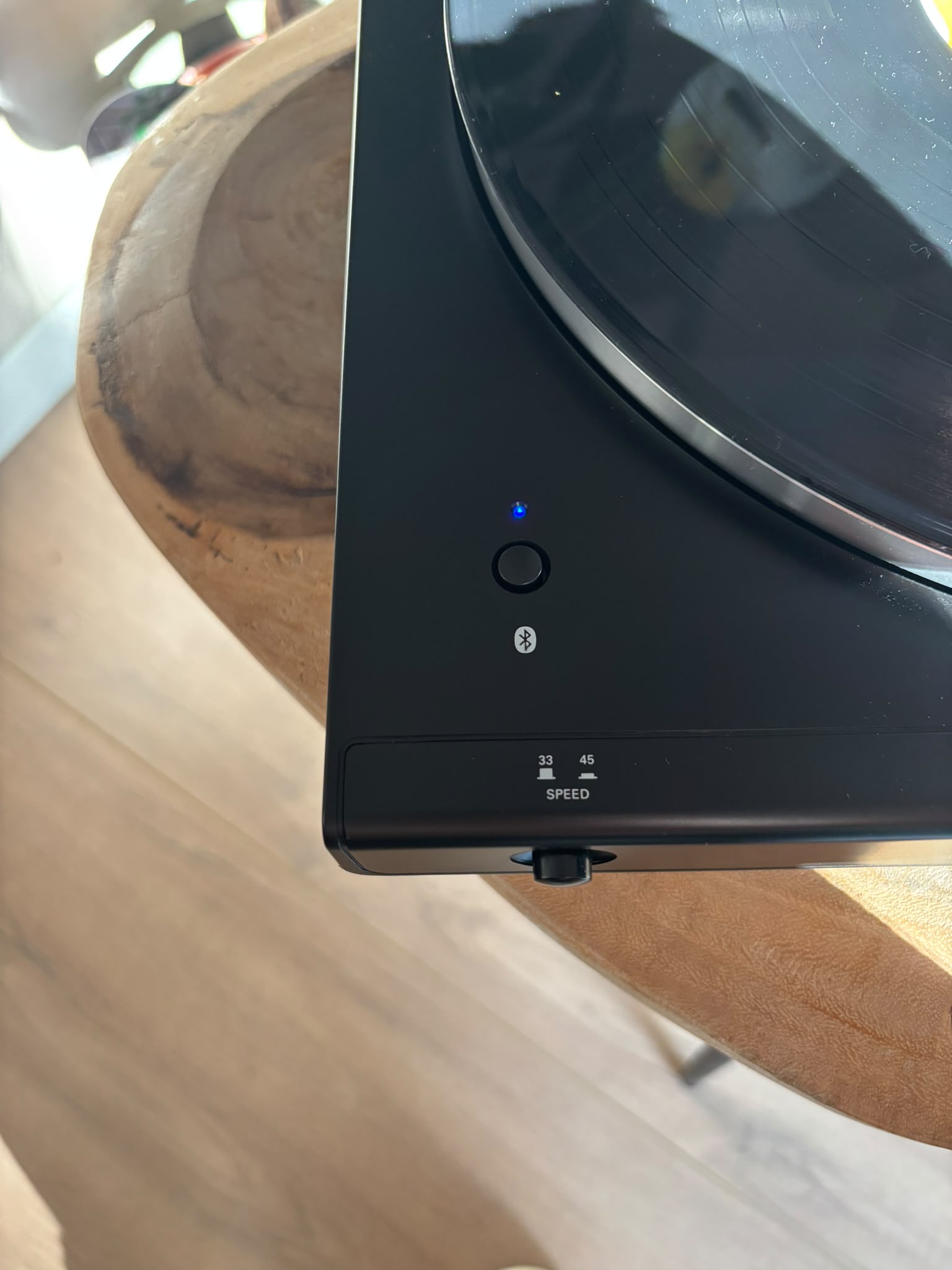
- Drop the needle and check the speaker for sound.
That's genuinely the whole process. No cables, no adapters, no preamp to think about, since it's already built in, and no phone involved either, the turntable and speaker talk directly to each other.
Path two: no built-in Bluetooth, use a transmitter
If your turntable doesn't have Bluetooth, you'll need two things: a phono preamp (many turntables have one built in already, check for a Phono/Line switch on the back) and a small Bluetooth transmitter, which plugs into the turntable's output and broadcasts the signal wirelessly.
These transmitters cost around 20 to 40 euros and are widely available online. Plug it into your turntable's output (or your external preamp's output if your turntable doesn't have one built in), then pair it to your speaker the same way you'd pair any other Bluetooth device.
Look for a transmitter that supports aptX. It's a better audio codec than the standard SBC, and most modern Bluetooth speakers support it too.
If your turntable or transmitter doesn't show up on the speaker's side, double check it's actually in pairing mode. Most will only be visible to new devices for around a minute before they stop broadcasting and you need to press the button again.
A quick note on sound quality
Bluetooth is convenient, but it does compress the signal, so it will never sound quite as detailed as a wired connection. For casual listening around the house this is rarely noticeable. If you're chasing the absolute best sound your turntable can produce, a wired connection will always edge it out.
For everyone else, honestly, the convenience wins. Vinyl without cables running across the room is a genuinely nice way to live.
Already have a Sonos system?
Sonos is a special case, since only certain models accept a direct wired connection and none of them use standard Bluetooth pairing the way most speakers do. I wrote a dedicated guide for exactly that setup: how to connect a turntable to Sonos.
One last thing
Now that your turntable is talking to your speakers, it's worth keeping track of what you're actually playing on it. If you share your collection with a partner or family, Spinfolk is a free app that keeps your household's vinyl collection in one place, including a shareable wishlist.
It's what I built for exactly this kind of setup.
Try Spinfolk free at spinfolk.app. No credit card required.
Written by Tim, founder of Spinfolk.